Deposition Documents: What to Mark, Share, and Summarize
.png)

When a deposition goes sideways, it is rarely because counsel “didn’t know the case.” It is usually because the deposition documents were not controlled: the right exhibits were not marked, the right materials were not shared (or were shared incorrectly), and nobody left with a clean, usable summary.
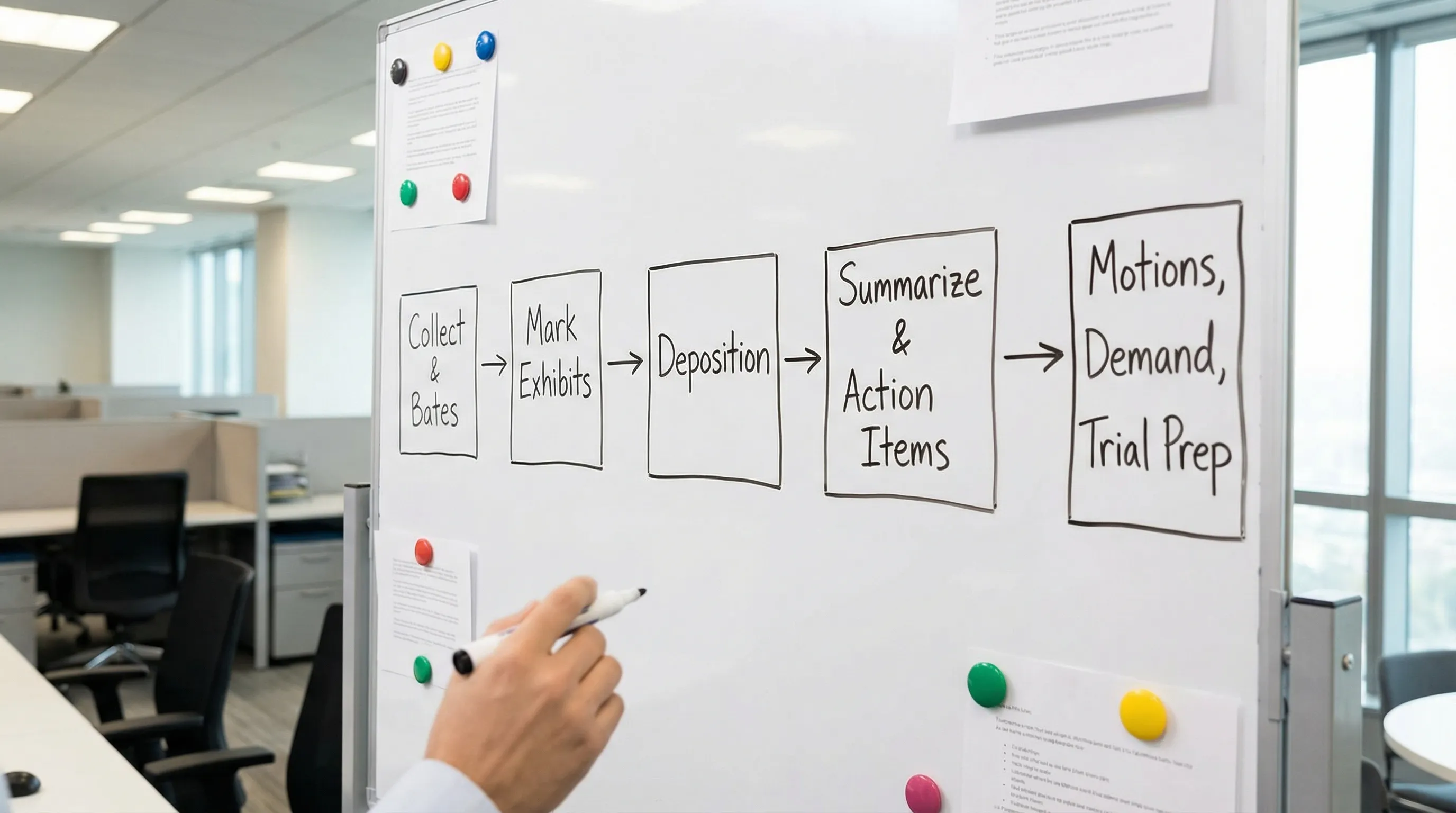
Below is a practical, litigation-focused approach to what to mark, share, and summarize so your deposition record is organized, defensible, and easy to convert into motions, demand packages, or trial materials.
1) What to mark: build an exhibit set that proves (or breaks) your themes
“Marking” is more than stamping PDFs. You are deciding what becomes part of the record, what becomes an impeachment tool, and what becomes the backbone of your case narrative.
Core categories worth pre-marking (or at least pre-selecting)
- Liability anchors: incident reports, policies/procedures, photos/video frames, maintenance logs, training records.
- Timeline documents: emails/texts, dispatch logs, EHR encounter summaries, work notes, calendar entries, prior statements.
- Damages foundation: medical records you will actually use (not the whole chart), billing summaries, wage loss support, functional restrictions.
- Impeachment-ready items: prior inconsistent statements, social media captures (with authentication plan), surveillance reports, applications/claims forms.
- Experts and causation: key diagnostic imaging reports, treating provider notes that connect mechanism to injury, literature or guidelines if appropriate.
Mark fewer documents, but mark the right pages
A common mistake is marking massive PDFs that bury the admission you need. Instead:
- Mark surgical excerpts (the page with the critical statement).
- Use a clean cover page or slip sheet for context.
- Keep a “full file” copy unmarked for reference, but do not force it into the exhibit record unless there is a reason.
Use an exhibit log that survives trial prep
Create a deposition exhibit log that captures the “why,” not just the “what.”
| Exhibit ID | Document | Bates range | Purpose / theme | Authentication source | Notes (impeachment, follow-up) |
|---|---|---|---|---|---|
| Ex. 1 | Incident report | ABC000120-000123 | Liability timeline | Custodian or PMK | Lock in date/time, author |
| Ex. 2 | Photo set (3 images) | ABC000200-000202 | Scene condition | Photographer/witness | Identify vantage point |
| Ex. 3 | Treatment note excerpt | MED000045 | Causation/damages | Treating provider | Quote key limitation |
This one table prevents the end-of-day scramble of “what did we actually use?”

2) What to share: control access, privilege, and the record
Sharing deposition documents is partly tactical and partly compliance. The goal is to give the right people the right materials, in the right format, at the right time.
Share before the deposition (typical “must-haves”)
- Notice of deposition and any subpoena duces tecum (final versions)
- Protective order (if one is in place) and any confidentiality designations
- Deposition exhibit set (to your team and vendor partners as needed)
- Key prior discovery you expect to use for impeachment (interrogatory answers, RFP responses)
In federal practice, deposition procedures and discovery obligations are framed by the Federal Rules of Civil Procedure. Your jurisdiction and court rules may impose additional requirements, especially around confidential information.
Share during the deposition (best practice)
- Provide exhibits to the court reporter in the format they request (often PDF).
- If remote, confirm the platform workflow for exhibit display and distribution.
- Keep a parallel “real-time” list of what was shown, even if not ultimately marked.
Share after the deposition (to avoid downstream chaos)
- The final exhibit set (exactly what was marked)
- The transcript and errata sheet when available
- Any video files and sync details if the deposition was recorded
- A summary that is usable for motions, mediation, and trial prep
Privilege and privacy: do not casually circulate sensitive material
Depositions often involve medical records, employment files, or proprietary business records. Before distributing anything, confirm:
- Privilege has been reviewed (attorney-client, work product).
- Confidentiality designations are applied consistently.
- Protected health information is handled per the applicable order and privacy rules.
If you are in doubt, share links with access controls rather than emailing attachments.
3) What to summarize: turn testimony into usable litigation assets
A deposition summary should not be a narrative transcript rewrite. It should be a tool that answers: What did we win? What did we lose? What must we do next?
The deposition summary sections that matter most
Focus on these blocks:
- Case posture: who, when, where, why this witness matters.
- Key admissions: clean quotes with page:line cites.
- Denials and lock-ins: what they refused, what they committed to.
- Timeline: a short chronological list of events confirmed by the witness.
- Impeachment inventory: contradictions, hedges, “I don’t recall” patterns.
- Exhibit map: which exhibits produced which admissions.
- Action items: follow-up discovery, subpoenas, motions, supplemental depo topics.
Use a summary template that enforces quality
| Summary component | What to include | Output standard |
|---|---|---|
| Key admissions | 5 to 15 bullets with page:line | Verbatim quotes, no paraphrase |
| Issues to brief | 3 to 7 issues | Tie each to a motion or settlement point |
| Damages links | Causation, treatment, limitations | Cite exhibits + testimony |
| Impeachment | Inconsistencies + sources | List transcript cites and prior docs |
| Follow-ups | What you need next | Owner + deadline |
If you use AI, treat it like a fast first pass, not the final product
AI can accelerate summarization and issue-spotting, but deposition work is too high-stakes for unverified output. A safe workflow is:
- Generate a draft summary and admission list.
- Manually confirm all quotes and page:line citations.
- Validate that the summary matches your legal theories and elements.
Tools like TrialBase AI are designed for litigation workflows, for example turning uploaded documents and testimony into medical summaries, deposition outlines, and case-ready materials in minutes. Use that speed to get to a strong draft, then apply attorney review to ensure the record is accurate and strategically framed.
A practical “done-right” deposition document workflow (quick checklist)
- Finalize your exhibit candidates, then cut to the smallest set that proves your points.
- Pre-fill an exhibit log with purpose, authentication source, and intended use.
- Share materials with strict access controls and consistent confidentiality handling.
- Immediately after the deposition, package the transcript, exhibits, and a structured summary.
- Convert the summary into next-step outputs (demand narrative, mediation brief themes, motion outlines).
When you treat deposition documents as a system, not a pile of PDFs, you get cleaner admissions, fewer discovery disputes, and a record you can actually use when it matters.
If you want to shorten the path from transcript to case-ready work product
Trial teams often lose hours rebuilding what they already have: re-reading transcripts, re-creating exhibit maps, and re-drafting outlines. If your goal is to move from intake to verdict faster, TrialBase AI can help you turn deposition materials into usable litigation outputs, including deposition outlines and medical summaries, without starting from scratch each time.