Legal IT Support for Law Firms: What to Expect in 2026
.png)

Legal IT support in 2026 is less about “fixing laptops” and more about keeping a law firm secure, compliant, and fast. With cloud-first stacks, hybrid work, and AI-enabled workflows becoming normal, your IT partner (internal or outsourced) needs to support the full lifecycle of legal work, from intake to trial, without creating risk.
Why legal IT support for law firms is different
Law firms run on tight deadlines, privileged data, and high-stakes communication. That changes what “good support” means.
- Confidentiality and privilege raise the bar for identity controls, logging, and vendor access.
- Court and client deadlines make downtime far more expensive than in many industries.
- Document-heavy workflows mean performance, searchability, and retention rules matter daily.
If your IT support cannot translate technical decisions into legal risk (and vice versa), you will feel it in missed time, slower case prep, and avoidable security exposure.
What to expect from legal IT support in 2026
1) Security-first operations (not security as an add-on)
By 2026, baseline expectations include:
- Zero trust basics: device compliance checks, least-privilege access, and continuous verification.
- Phishing-resistant MFA (or equivalent strong authentication) for email, VPN, and key systems.
- Rapid patching for operating systems, browsers, and common legal software.
- Ransomware readiness: immutable or tamper-resistant backups, tested restores, and an incident response playbook.
Frameworks like the NIST Cybersecurity Framework are often used to structure controls and maturity, even for smaller firms.
2) Microsoft 365 and cloud governance that is actually managed
Many firms “have M365,” but support quality shows up in governance:
- Conditional access policies (who can log in, from where, on what device)
- Secure sharing defaults for OneDrive/SharePoint
- Email authentication and anti-impersonation protection
- Retention policies aligned with your practice and jurisdiction
In 2026, you should expect your IT support to document these decisions and review them on a schedule, not only after an incident.
3) Application support for your legal stack, plus clean integrations
Legal IT support should cover both the obvious and the workflow-critical:
- Practice management and billing
- Document management and PDF tools
- E-signature and secure client communications
- E-discovery tooling and production workflows
- Litigation support tools used by attorneys and paralegals
The key expectation is integration hygiene, meaning fewer duplicate data entry points, consistent matter naming, predictable folder structures, and permissions that map to real teams.
4) “AI readiness” policies and guardrails
In 2026, firms are under pressure to adopt AI, but also to control risk. You should expect your IT support to help establish:
- Approved AI tools and account provisioning (business plans, SSO where possible)
- Data handling rules (what can be uploaded, how to redact, retention expectations)
- Auditability (who accessed what, when)
- Training for attorneys and staff on safe usage
A practical benchmark is having an internal policy that aligns with your professional responsibilities and client requirements. The ABA’s cybersecurity resources are a common starting point for law firm discussions.
5) Measurable service levels (SLA) and a real escalation path
A modern provider will commit to operational targets that reflect legal urgency. Typical SLA categories include:
- Response time (how fast they acknowledge)
- Time to engage (how fast a tech starts work)
- Resolution targets by severity (for example, “email down” vs “single user printer issue”)
You should also expect an escalation path that reaches someone accountable (not just a rotating queue).
Support models in 2026 (and what they are best for)
| Model | Best for | Trade-offs | What to verify before choosing |
|---|---|---|---|
| In-house IT | Firms with complex internal systems or high control needs | Hiring, coverage gaps, harder 24/7 | Security expertise, documentation discipline, backup testing |
| Managed Service Provider (MSP) | Predictable support, broad expertise, scalable coverage | Quality varies, risk of “generic” setups | Legal experience, SLAs, tool transparency, offboarding plan |
| Hybrid (in-house + MSP) | Firms that want control plus depth | Requires clear ownership lines | Who owns security, who owns apps, who owns incidents |
The best model is the one where ownership is unambiguous, especially for security incidents and account access.
What it should cost (and how to evaluate value)
Price varies widely by region and scope, so focus on whether the proposal includes:
- Security tooling (endpoint protection, email security, MFA management)
- Backup and disaster recovery, including test restores
- M365 administration and governance
- Onboarding and documentation (network map, admin accounts, vendor list)
- Quarterly reviews (security posture, licensing, upcoming needs)
If a quote is cheap but excludes governance, backup testing, or incident readiness, it is not “legal IT support,” it is break-fix.
Vendor questions that reveal quality quickly
Ask these in the first call:
- “How do you handle admin access, and how do we get it back if we leave?”
- “When did you last run a restore test for a client, and what did it involve?”
- “What is your standard M365 baseline for a law firm?”
- “How do you separate duties for security events (triage, containment, communication)?”
- “What is your process when an attorney needs urgent help in a deposition or hearing window?”
Good providers answer plainly and show documentation habits.
Where TrialBase AI fits in a modern legal support stack
IT support keeps your environment secure and reliable, but it does not usually produce litigation work product.
TrialBase AI focuses on AI-powered litigation support, turning uploaded case documents into litigation-ready outputs like demand letters, medical summaries, deposition outlines, and other trial materials in minutes. If your firm is tightening turnaround times while maintaining consistency, it can sit alongside your existing IT and security posture as part of the practice workflow.
Frequently Asked Questions
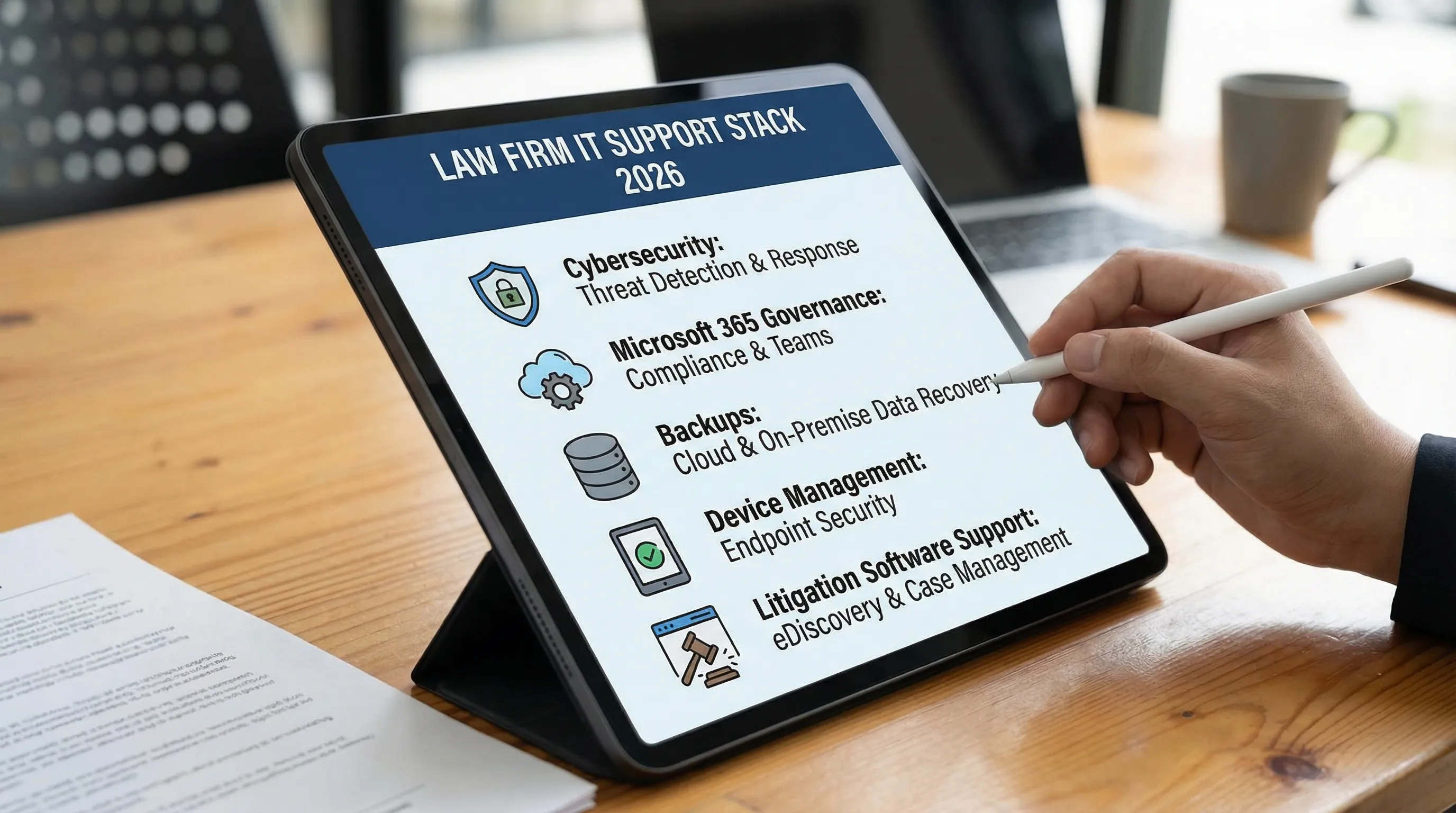
What is included in legal IT support for a law firm in 2026? It typically includes cybersecurity controls, Microsoft 365 administration, device management, backup and disaster recovery, helpdesk support, and governance for cloud apps and access.
Should a small firm use an MSP or hire in-house IT? Many small firms choose an MSP for coverage and security tooling, while firms with complex needs may prefer hybrid or in-house. The deciding factor is clear ownership of security and accountability.
How do I know if my IT provider understands law firm risk? Look for documented M365 baselines, tested backups, clear incident response steps, and strong identity controls (MFA, least privilege). Ask how they handle privilege and client confidentiality in practice.
Does legal IT support cover litigation document drafting and case summaries? Usually no. IT support keeps systems running and secure. Litigation drafting and summaries are practice workflows that specialized tools like TrialBase AI can help accelerate.
Next step: make your casework faster once your IT foundation is solid
If your systems are secure and dependable, the next bottleneck is often case preparation time. Explore TrialBase AI to see how AI-driven litigation support can help your team turn documents into demand letters, medical summaries, deposition outlines, and more, delivered in minutes.